Release & Retrieve Configuration Keys in the EVERYWHERE Hub
Learn how to release and retrieve configuration keys in the EVERYWHERE Hub. Releasing a key resolves errors like “Invalid Configuration Key” and helps Hub Users support Field Users with app re-activation. Retrieving a key ensures Field Users can activate the EVERYWHERE App to register their device and complete setup successfully.
What Does a Configuration Key Do?
- A configuration key is a unique code that makes sure that your EVERYWHERE app has the same "configuration" as your device does in the Hub. It also helps point the EVERYWHERE app to know what the correct partner device is so everything stays working the way it should. Each configuration key can only be registered to one smart device using the app (like a phone or tablet) because location data needs to be tied to a single device for reliable tracking and reporting.
Before you start:
- Make sure you have a Hub Account
- Make sure the device's user has downloaded and installed the EVERYWHERE app
- Permission to release the Configuration key, if this is not your personal device.
See Below for a Step by Step guide:
How to release/retreive a Configuration Key via the Hub:
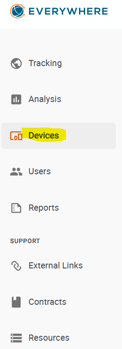
- From the Navigation Menu select Devices
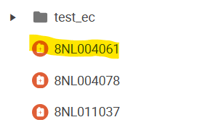
- Once at the Folder level, select which device you need access to.
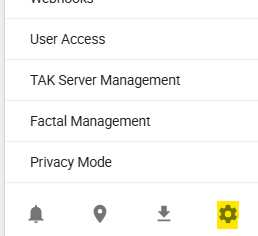
- Once on the Device profile page, select the "Settings" gear at the bottom of the page:

- Under the heading titled "Mobile" next to the key icon. If the configuration key is being used you will need to "Release Key" see below:

- Copy and paste the entire code in to the EVERYWHERE app to pair.
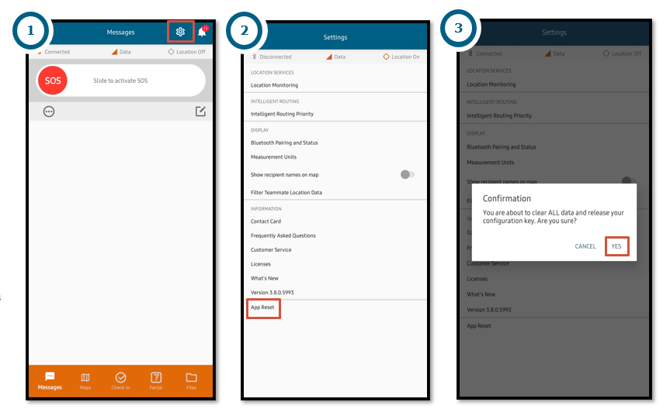
NOTE: If you're using a shared device with the EVERYWHERE App connected to it you need to make sure to release the configuration key from the app after you are done using the device. To do this from the app follow the steps below: Settings > App Reset > Confirmation - YES

Troubleshooting
-
If you receive the Error Message "Invalid Configuration Key":
- Check for typos. Keys are case-sensitive.
- Make sure you are using the latest key provided by your admin.
- Make sure you're not using the key on a different device
- For more information on the Error Message "Invalid Configuration Key" see this article